Claude Code · Opus 5.5 · motion design
How the 'one-prompt' Opus 5.5 videos are actually made
A rewrite of seeco's breakdown of the viral 'one-prompt' Opus 5.5 videos. How the model writes a seekable render function, a headless browser films it frame by frame, ffmpeg joins them, and a review loop over contact sheets gets good frames out. With runnable code.
Source. This post builds on Opus 5.5 Motion Design: What the Viral 'One-Prompt' Videos Are Hiding by seeco (@seeconvm), published October 2, 2026. The research and the stories about specific creators come from that article. The code samples and opinions here are mine. Read the original for the full set of examples.
After Opus 5.5 came out on September 22, my feed filled up with launch films and music videos captioned "one prompt". I wanted to know how much of that was true. seeco took dozens of those videos apart and found that a few did start from a single sentence, while the good ones started from a brief of around 10,000 characters, a render pipeline, and a review loop that sometimes ran for hours.
I read their breakdown, then went through the two repos it points to, John Heibel's PDoomVideo and ClaudeAnimationBase (MIT). Below is how the pipeline works and what you need to build one.
The model writes a program, a browser films it
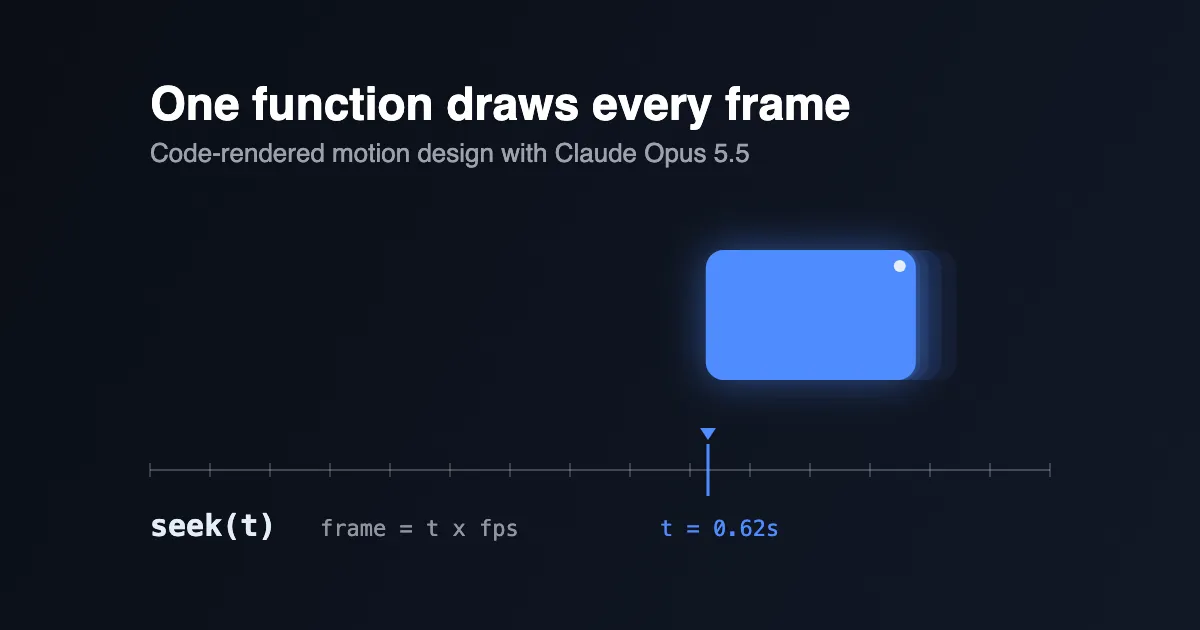
Opus can't output a video file. It writes a web page with one function, seek(t), that draws the frame at time t from scratch. A headless browser calls that function once per frame and takes a screenshot, then ffmpeg joins the screenshots into an MP4. A 15-second clip at 60 fps is 900 calls.
For this to work, nothing can depend on wall-clock time. No CSS transitions, no setTimeout, no requestAnimationFrame, no unseeded Math.random(). If frame 240 can be drawn without drawing frames 0 to 239 first, you get three things:
- A title that lands too early is one number to change and a few seconds to re-render.
- Frames render in parallel across workers, and a crashed render resumes where it stopped.
- The model can look at any single moment of its own film without playing it back.
ClaudeAnimationBase is built this way. The page exposes window.renderAt(t), and render.mjs drives headless Chrome through Puppeteer to grab frames, encode MP4s, or build contact sheets at chosen timestamps.
A minimal version fits in two files. The page:
1<canvas id="c" width="1280" height="720"></canvas>2<script>3const ctx = document.getElementById('c').getContext('2d');45// Damped spring from 0 to 1 as a pure function of time (mass = 1).6function spring(t, k = 170, c = 18) {7 if (t <= 0) return 0;8 const w0 = Math.sqrt(k), z = c / (2 * w0), wd = w0 * Math.sqrt(1 - z * z);9 return 1 - Math.exp(-z * w0 * t) * (Math.cos(wd * t) + (z * w0 / wd) * Math.sin(wd * t));10}1112window.seek = (t) => {13 ctx.fillStyle = '#111';14 ctx.fillRect(0, 0, 1280, 720);15 const x = 140 + 800 * spring(t - 0.5); // the box starts moving at 0.5s16 ctx.fillStyle = '#4f8cff';17 ctx.fillRect(x, 300, 200, 120);18};19</script>
The renderer, using Playwright:
1// render.mjs2import { chromium } from 'playwright';3import { mkdirSync } from 'node:fs';45const fps = 60, seconds = 3;6mkdirSync('frames', { recursive: true });7const browser = await chromium.launch();8const page = await browser.newPage({ viewport: { width: 1280, height: 720 } });9await page.goto(`file://${process.cwd()}/index.html`);10for (let i = 0; i < fps * seconds; i++) {11 await page.evaluate((t) => window.seek(t), i / fps);12 await page.locator('#c').screenshot({ path: `frames/f${String(i).padStart(5, '0')}.png` });13}14await browser.close();
1node render.mjs2ffmpeg -y -framerate 60 -i frames/f%05d.png -c:v libx264 -pix_fmt yuv420p out.mp4
Everything else in this post is about getting good frames out of that engine.
seeco is clear about where code loses. Photoreal scenes, complex characters and organic movement still need footage or a video model. Product films, UI motion, data stories and typography are where seek(t) does well.
Run it in an agent, not a chat window
A chat app can write index.html, but it can't render it, look at the frames or listen to the audio. Claude Code can, because it has a shell. It runs the render, opens the output images and fixes what it sees. According to seeco, that feedback loop explains most of the gap between the viral clips and the attempts that came out flat.
Put the house rules in a CLAUDE.md at the project root so every session follows them. seeco's version has three sections. Here is mine, adapted:
1## Render contract2- window.seek(t) draws frame t. Nothing else changes the picture.3- No CSS transitions, setTimeout or requestAnimationFrame.4- Seeded noise only. Never Math.random().56## Look7- Banned: centered title on a gradient, everything fading in, glow on UI.8- One display font, one UI font, one accent color.9- Something new on screen every 2 to 4 seconds.1011## Assets12- Use the real screenshots and logos in assets/. If one is missing, stop and ask.
Effort matters too. Opus 5.5 starts on medium, and seeco reports that the viral one-shots ran on xhigh or max. Heibel's README says all his test videos ran on xhigh and that higher reasoning made the scenes more detailed.
Write a brief, with real assets
"Make an insane product video" leaves every decision open, and the model fills each one with its safest default. That's why so many of those reels share the same centered gradient title.
seeco's brief has five parts: the one sentence the viewer should remember (plus audience, length and formats), the real assets (logo, UI screenshots, brand fonts and colors, audio), what to take from the visual reference and which clichés to avoid, a hard line against inventing product screens or metrics, and a list of deliverables.
The hard line is the one I'd enforce first. If the real dashboard isn't in the folder, the model will draw a convincing fake one, and on a product page a fake screen does more harm than having no video.
Real assets don't have to mean more work. seeco describes Tony Dinh's TypingMind reel, where three extra lines (the product URL, a demand for real screenshots, logo and assets, and "must have music") were enough. Opus went to the site, collected what it needed and finished in under 30 minutes.
Keep API keys in .env and refer to them by name in the prompt. Don't paste them in.
Give it a reference
Without a visual reference, Opus falls back on its own default style, so unrelated reels end up looking related. One frame from a video you like, a short clip, or a folder of your own past work hands over pacing, type and transitions at once. Naming a style works better than describing it.
A prompt pattern for this, adapted from the article:
1Reference: ./refs/launch.mp421. Extract a frame every 0.5s with ffmpeg and study them.32. Write docs/style_guide.md: hex palette, type, shot lengths, transitions, camera.43. Write docs/shotlist.md for a 20s video about <product> in that style.54. Take the visual grammar only, never the subjects, logos or copy.65. Show me both files and wait for my OK before writing code.
Step 5 saves the most time. Reviewing two markdown files takes a minute, and reviewing a wrong 900-frame render takes a lot longer.
Storyboard in states
"Zoom in, morph, add particles" is a list of effects. A storyboard that helps says what's on screen and what the viewer knows at each moment. The example seeco highlights is a chain of UI states that one container morphs through:
1logo → CTA button → email field (typed) → loader → success check2→ dashboard → chart draws itself → tooltip → command palette → toast → logo
One shape changes size, corner radius and color between states, a cursor triggers each change with a visible click, and the last frame matches the first so the clip loops. Each beat needs an entry state, an exit state and a reason to be there. If the agent can't explain why shot four exists, cut shot four.
Springs and sound
Fixed easing curves look cheap because real objects have mass. They speed up, overshoot a little and settle. The spring() function above gives that feel and stays a pure function of t, so seek(t) stays deterministic.
When a value changes target several times, like a cursor position or a container width, add one spring per change instead of restarting it:
1// changes: [{ at: 0.5, to: 400 }, { at: 1.2, to: 900 }, ...]2function track(t, start, changes) {3 let value = start, prev = start;4 for (const { at, to } of changes) {5 value += (to - prev) * spring(t - at);6 prev = to;7 }8 return value;9}
Frame 812 still renders without simulating frames 0 to 811. Give each kind of object its own spring settings: small UI elements snap with little overshoot, panels settle, the camera barely moves, and headlines land and then hold long enough to read.
Sound runs on the same clock. Several of the viral films generated their audio in code, and seeco cites @oozn's film with 23 transitions locked to 120 BPM. If you bring your own track, extract tempo, beats and onsets with librosa first, then put state changes on beats and the big moments on downbeats.
Make it review its own frames
Opus 5.5 can read images, so it can inspect what it rendered. seeco found this was the habit the most successful clips shared, and it takes real effort: one watercolor short took 163 model calls and close to 7 hours.
Don't make it watch the full export. Build a contact sheet with ffmpeg:
1# 12 frames from a 3-second clip, tiled into one image2ffmpeg -y -i out.mp4 -vf "fps=4,scale=320:-1,tile=4x3" -frames:v 1 sheet.png
Then give it a critique task with a scoring rule. My wording of seeco's version:
1Judge only the rendered frames, not what you meant to draw.2Score 1-10: hook in the first 2s, readability on a phone, motion,3variety, sound sync, brand accuracy.4List the 3 worst defects with timestamp and a local fix.5Patch those seconds, re-render them, repeat until every score is 8+.
Typical defects are overlapping text, elements sliding where they should ease, blurry scaled type, a few seconds where nothing happens, and a stutter at the loop point. ClaudeAnimationBase's render.mjs has --sheet and --strip flags for this, plus crops that follow a point through the camera so the model can check small details like a character's feet.
Save the pipeline as a skill
If the only record of how a film was made is one chat session, you can't repeat it. Keep the decisions in files the next run can read:
1motion-studio/2 brief.md goal and product facts3 style_guide.md palette, type, motion, banned defaults4 shotlist.md beats, states, timestamps5 assets/ approved logos, screens, sound6 src/ seekable composition code7 reviews/ contact sheets and defect notes8 out/ one export per format
For long runs, add approval gates: assets approved, style guide and shot list approved, a critiqued still for every shot, a low-res animatic, the full pass, then formats and a loop check. The agent can work for hours between gates, and you catch a wrong direction before it costs a full render. Render each aspect ratio from the same timeline instead of cropping. Vertical gets bigger type and fewer elements.
PDoomVideo shows the larger version. Opus wrote ANIMATION_GUIDE.md to brief subagents that built the nine chapters in parallel, and according to the README the only direction was to use the Clawd character and give each lyric interesting visuals and transitions.
Wrapped as a Claude Code skill, the next film starts from one line such as /motion-reel for <url>, 20s, vertical, reference ./refs/frame.png. Rob Hallam's story in seeco's article shows the payoff: his second video in the same session came out faster because the renderer, audio synth and export already existed.
To try it, clone ClaudeAnimationBase, run npm install and node render.mjs --clip --out=out/video.mp4 to render the demo, then ask Claude Code for a 15-second clip and tell it to critique its own contact sheet before it shows you anything.